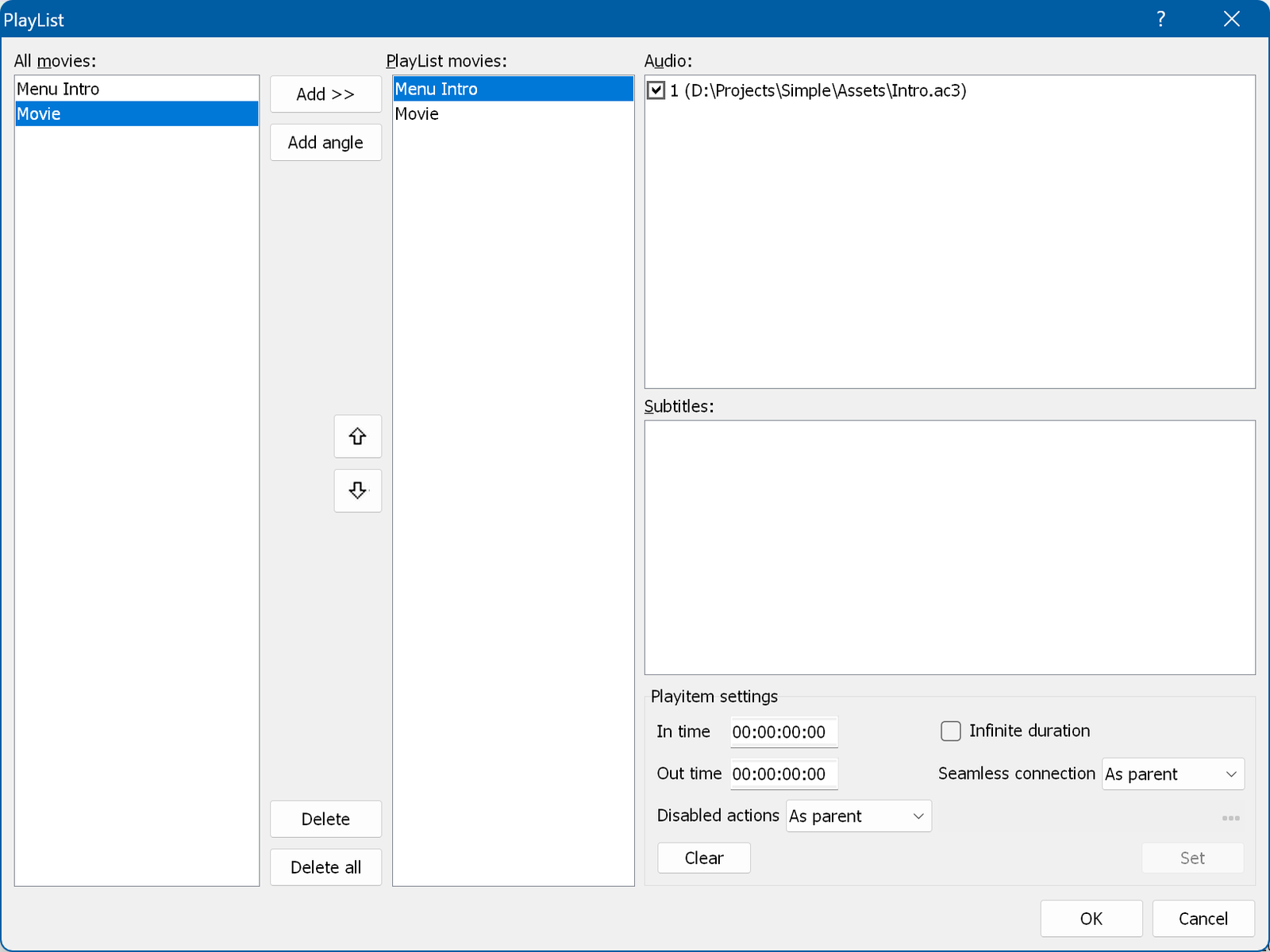
All movies - all movies available in the project.
PlayList movies - the movies added to the playlist.
Add >> - select a movie in the "All movies" list and click this button to add it to the playlist.
Add several... - adds the selected movie(s) to the playlist several times in a row. Enter the number of copies (1-99) in the dialog that opens. If several movies are selected in the "All movies" list, the whole selection is repeated in its order (1, 2, 1, 2, ...). The copies are placed the same way as with Add >>: at the end of the playlist or, if the "Add new item after selected" option is enabled, right after the selected playitem.
Add angle - select a movie in the "All movies" list and a movie in the "Playlist movies" list, then click this button to add an angle to the selected playlist movie.
Up/Down arrow buttons - move the selected playitem(s) within the playlist. Several playitems can be selected at once; a playitem always takes its angles along with it, and a selected angle can only move within its own group.
Delete - deletes the selected movie from the playlist.
Delete all - clears the playlist.
Audio / Subtitles - when you select a movie in the playlist, its audio and subtitle tracks are shown on the right. Here you can disable the tracks you do not need. These take effect immediately.
In time / Out time - when you select a movie in the playlist, its in/out time is shown in the bottom right corner. 00:00:00:00 means that the time is not set (default).
Infinite duration - intended for slideshows. Makes the last frame infinite.
Seamless connection - lets you specify a seamless connection for the selected movie (playitem).
Disabled actions - lets you block actions for the selected movie (playitem).
Set - In time/Out time, Infinite duration, Seamless connection and Disabled actions have no effect until you click this button. If several playitems are selected, Set applies all of them to every selected playitem at once.
Clear - resets these fields on screen; the playitem itself only changes once you click Set afterwards.
Note: a movie containing a slideshow cannot be used in a playlist.
Ctrl+Up/Down - same as the Up/Down arrow buttons (move selected items up/down).
Ctrl+PgUp/PgDn - selects the previous/next playitem in the list.